As a guest
A guest is you, in this browser. Your lists, your stars and your comments are yours, and the others see your DJ name next to them, the one you typed when the list asked Who’s this?. Your lists live in this browser. On another device, or in another browser, setlist.DJ does not know you: there you have only what the link gives, like anyone else who has it. The list itself is never lost that way. The link is the list, and it keeps working for as long as you have it. On a list you made as a guest, a notice at the top says the same thing: The link is this list: it stays as long as you have it. Sign in to find it from any device too. Press Sign in to do that now, or Later to hide the notice for this visit. Only you see it.Your lists
Your lists, in the header and in the footer, shows the lists you are on: the ones you made and the ones you joined by opening their link. The list that changed last comes first. Each card shows the title, the date, the times, the venue, the number of tracks, when it last changed, and your role on it, such as You: Owner.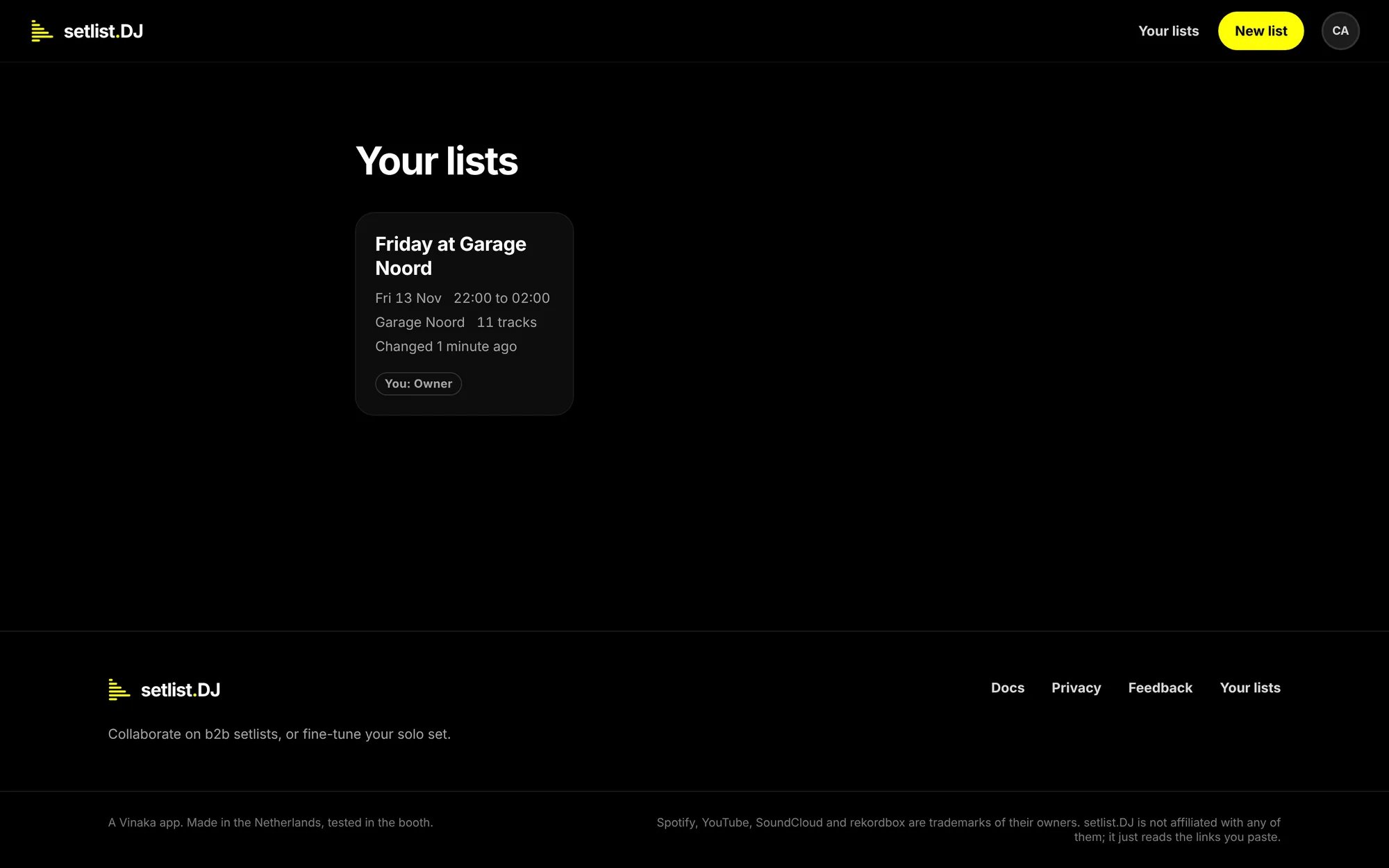
Your lists, with the one list this DJ is on. Under it the footer, with Docs, Privacy, Feedback and Your lists.
Sign in
Signing in needs no password. You sign in with a link in your mail, with Google, or, once you have added one, with a passkey: Touch ID, Face ID, Windows Hello, your phone or a security key. You can sign in from the round account button at the right of the header (Sign in is the first thing in its menu while you are not signed in), from Sign in beside the heading of Your lists, from Sign in in the notice on your list, from Sign in to find this list later in the list’s menu with three dots, or from Or sign in when a list asks Who’s this?. Each brings you back to where you started.1
Type your address
Type it in Your e-mail address and press Send me a link. Or press Continue with Google and choose your
Google account, or Sign in with a passkey if you have one; skip the next step.
2
Open the mail
The mail is called Your setlist.DJ sign-in link. Press Sign in in it. The link works once, for 15 minutes. If
it is not there within a minute, look in the spam folder.
3
You are in
Opened in the same browser you asked from, the link signs you in by itself (Signing you in). Opened somewhere else,
such as on your phone, it shows One tap to sign in: press Sign in and you are signed in there.
What signing in brings
- Your lists on every device. Sign in anywhere with the same address and Your lists shows them, with you as their owner.
- What you did as a guest comes along. The lists you made, the lists you joined, your stars, your reactions, your comments and your DJ name (unless your account has one already) move to your account the moment you sign in in that browser.
- Invites by e-mail. Only someone signed in, on a list they can edit, can invite people by mail, so the mail can say who is asking. See Share and collaborate.
- Mentions by mail. When a comment names you with @, you get a mail with the comment in it, as long as you and the person who wrote it are both signed in. A guest has no address, so a guest sees the mention on the list instead.
If the link does not work
Passkeys
A passkey lets you sign in with the fingerprint, face or PIN that unlocks your device: Touch ID on a Mac, Face ID on an iPhone, Windows Hello, your Android phone, or a security key. No mail to wait for, which helps in a club with one bar of signal.1
Sign in once
Sign in the usual way, with the mail or with Google. A guest cannot add a passkey: sign in first, and your guest
lists come along.
2
Add a passkey
On Your lists, under Account, press Add a passkey in Passkeys. Your device asks for your
fingerprint, your face or your PIN, or to touch your key. The page says Passkey added., and the passkey appears
in the list with the device you added it on and the day.
3
Sign in with it
Next time, on the sign-in page or under your lists, press Sign in with a passkey and unlock your device. You go
straight back to where you were. Signing in this way in a browser where you were a guest brings that guest’s
lists along, as the mail does.
Your DJ name
Your DJ name is what the others see next to the tracks you add, your stars and your comments. You give it the first time you change something on a list, when it asks Who’s this?: type it as it is on the flyer and press That’s me. Once you are signed in, you change it on Your lists, under Account: type it in Your name on lists and press Save. Your artist name or your own name both work.Sign out
Choose Sign out in the menu behind your initials at the top right or, once you are signed in, at the foot of Your lists. This browser forgets you; your lists stay where they are. Sign in again on any device and they are back.As a guest, signing out means this browser no longer knows you, and there is no account to sign back in to. Your
lists still open from their links, but only with what the link gives: you lose the owner’s rights. To keep them,
sign in instead of signing out.
Leave or delete
- Leave a list you are on but did not make: Leave this list in the list’s menu with three dots. Your stars and comments stay; your name comes off the list.
- Delete a list you made: Delete list in the same menu. The tracks, stars and comments go with it, and there is no undo. Anyone who opens the link after that finds This link leads nowhere.
- Delete your account: write to the address in the privacy statement at setlist.dj/privacy. It is done by hand, within a few days, and it is final. Every list you own is deleted with it, with everything on it. On other people’s lists your stars and reactions go; your comments stay, without your name.
What setlist.DJ keeps about you
Not much, and nothing behind what you can see:- On a list: what you put there. The tracks you add, your stars, reactions, comments and booth notes, your DJ name, and the list’s history of who did what and when.
- For an account: your e-mail address and whether you proved it, by a sign-in link or by Google. A name only when you type one, or when Google gives one. Your sign-ins, without your IP address and without the name of your browser. For each passkey you add: its public part, the kind of device you added it on, which password manager or security key holds it, how it connects, whether it syncs, and the day. Never your fingerprint or your face. For ten minutes after you sign in, a cookie says so, for the passkey offer; Not now leaves a note in this browser only.
- For a guest: a cookie in this browser, a made-up placeholder address that is never mailed, and a name from a short list. A guest account with nothing left on it is deleted 30 days later.
- Feedback you send: what you wrote, your verdict and your address if you left them, and your account if you were signed in. It is kept for 24 months at most, and deleted sooner if you ask.
Send feedback
Something missing, something in the way, something you like: it goes straight to the person who builds setlist.DJ. Open setlist.dj/feedback. It is also Feedback in the footer of every page, Send feedback in the menu behind your initials, and Something missing? Tell us. at the foot of every list.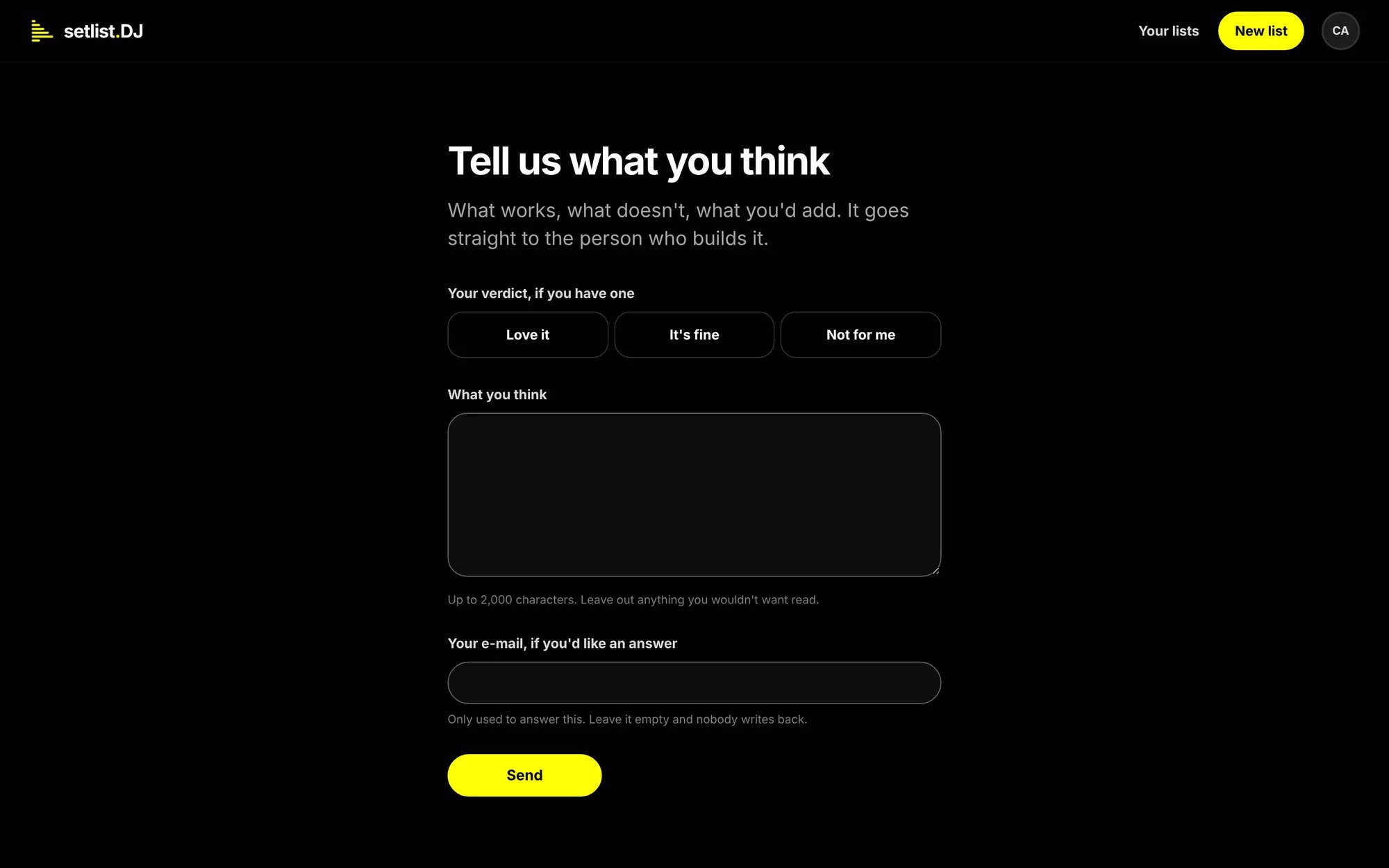
The feedback page. The verdict and your address are optional.
- Pick a verdict if you have one: Love it, It’s fine or Not for me. No verdict takes it back.
- Write what you think in What you think, up to 2,000 characters.
- To get an answer, leave your address under Your e-mail, if you’d like an answer. Signed in, it is filled in from your account; clear it and nobody writes back.
- Press Send.